

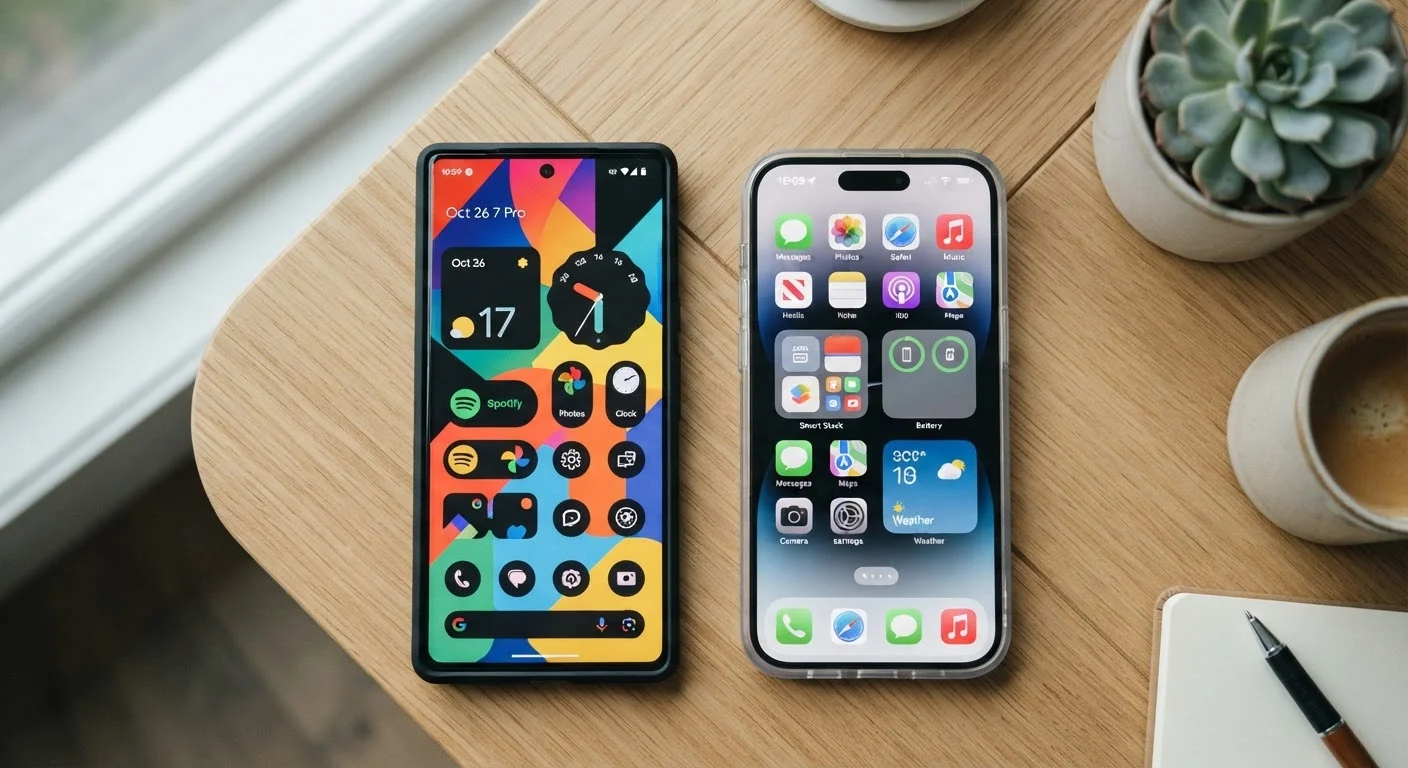
Key Takeaways
- Android offers more customisation freedom; iOS prioritises consistency and simplicity across devices.
- Both platforms have strong app ecosystems, but some apps launch first or exclusively on one platform.
- iOS devices tend to receive software updates for longer; Android update timelines vary by manufacturer.
- Privacy controls have improved on both platforms, but they work differently under the hood.
Our Verdict
Neither Android nor iOS is universally superior — the right choice depends on how you use your phone day to day. Android suits people who want flexibility and variety; iOS suits those who value simplicity, long-term software support, and tight integration with other Apple devices.
| Best for | Recommended |
|---|---|
| Those who want to personalise their home screen and workflows | Android |
| Those who already use other Apple devices like a Mac or iPad | iOS |
| Those who prioritise receiving software updates for many years | iOS |
| Those who want the widest range of hardware options and price points | Android |
The Core Difference: Control vs. Consistency
At its heart, the Android vs. iOS divide comes down to one question: do you want more control over how your phone behaves, or do you want a more uniform, guided experience?
Android is an open platform developed by Google and used across phones from many different manufacturers. That openness means you can change your default apps, rearrange almost everything on your home screen, install widgets wherever you like, and even download apps from outside the official app store — though this carries some risk.
iOS, Apple's operating system, only runs on iPhones. Apple controls both the hardware and software, which creates a tightly integrated experience. There's less room to deviate from the intended layout, but the result is a system that behaves predictably across devices and tends to be straightforward to learn.
For most people, this distinction shows up in small daily moments: how easy it is to set a third-party app as your default browser, whether you can place icons anywhere on your home screen, or how much you can tweak your notification display. See our guide to managing notifications for a deeper look at how both platforms handle this.
Apps, Updates, and the Ecosystem Question
Both platforms have mature, extensive app stores — the vast majority of popular apps are available on both. That said, a few differences are worth knowing.
Some apps and games launch on iOS first, while others debut on Android. Certain apps are exclusive to one platform, though this is increasingly rare for mainstream software. If a specific app is important to you, it's worth checking availability before switching platforms.
Software updates are a meaningful practical difference. Apple provides iOS updates to iPhones for roughly five to six years after a device is released, meaning older phones continue to receive security patches and new features for longer. Android update timelines depend heavily on the manufacturer — some commit to five years of updates, while others offer fewer. If you tend to hold onto a phone for several years, this is worth factoring into your decision.
| Android | iOS | |
|---|---|---|
| Home screen customisation | Highly flexible, widgets anywhere | More structured, improving over time |
| Hardware variety | Wide range of brands and prices | iPhone only |
| Software update longevity | Varies by manufacturer | Typically 5–6 years per device |
| Default app flexibility | Change most defaults freely | Limited but expanding options |
| Device ecosystem integration | Works well with Google services | Tight integration with Apple devices |
| App store openness | Can sideload apps (with caution) | App Store only by default |
For those thinking about where your data lives across both platforms, our explainer on cloud vs. on-device storage is a useful companion read.
Privacy and Security: Similar Goals, Different Approaches
Both Apple and Google have expanded privacy controls in recent years, giving users more visibility into how apps use their data. However, their approaches reflect different business models.
Apple's business is primarily built around selling hardware, which means its incentives broadly align with protecting user privacy as a feature. iOS includes tools like App Tracking Transparency, which requires apps to ask permission before tracking your activity across other apps and websites.
Google's core business involves advertising, which depends on understanding user behaviour. Android has added meaningful privacy controls — including similar tracking-permission prompts — but the underlying data relationship between Google services and your device is more extensive by default.
In practical terms, both platforms let you limit what apps can access (location, microphone, camera, contacts) through permissions settings. Reviewing these settings periodically on either phone is a good habit. Our guide on what a VPN actually does on your phone covers an additional layer some users add for privacy.
Review App Permissions Regularly
On both Android and iOS, you can view which apps have access to your location, microphone, camera, and contacts in your phone's Settings under Privacy or App Permissions. It's worth checking this every few months — you may find apps have access you don't remember granting. Revoking unnecessary permissions is one of the simplest privacy steps available to any smartphone user.
Practical Setup and Daily Use
Switching between platforms requires some adjustment. Contacts, calendars, and photos are generally transferable, but some app data — particularly from games or apps that store progress locally — may not move over cleanly. Both Apple and Google offer migration tools to ease the transition.
Once you're settled in, the day-to-day experience depends on your habits. Android makes it easier to customise your home screen layout and defaults, which can be a significant advantage if you like your phone organised a specific way. If you'd like to get more from your current setup regardless of platform, our phone organisation guide offers practical approaches.
iOS users who also own a Mac, iPad, or Apple Watch benefit from features like Handoff (starting a task on one device and continuing on another) and AirDrop. These ecosystem perks are genuinely useful for people already in Apple's orbit, but they're irrelevant if you use Windows or other non-Apple devices.
Ultimately, the best phone is the one that fits how you actually work and communicate — not the one with the longer spec sheet. If you're looking to get more from whichever platform you're on, these often-overlooked settings are worth exploring on either device.