

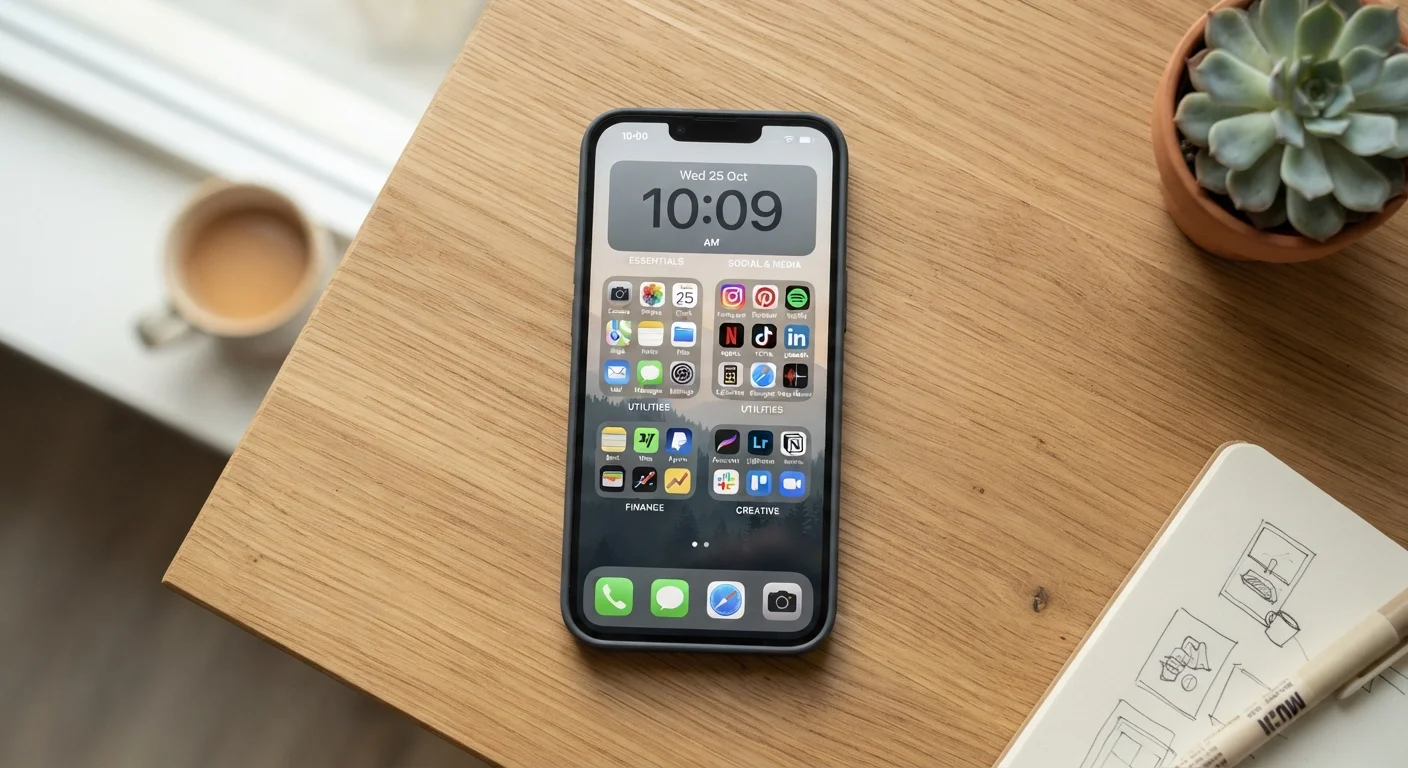
Key Takeaways
- Keep only your most-used apps on the home screen — everything else belongs in folders.
- Organise by how you use apps, not by category — context beats alphabetical order.
- Delete apps you haven't opened in months to reduce visual clutter and free storage.
- Use your phone's built-in search instead of hunting through folders every time.
- A consistent naming and folder system prevents reorganising from scratch every few weeks.
Why Phone Clutter Happens in the First Place
Most phones become disorganised the same way a junk drawer does — one app at a time, each installed quickly and never moved. Within months, dozens of icons spread across multiple home screen pages with no clear logic, making every tap a small act of archaeology.
The root cause is rarely laziness. It's that phones don't prompt you to organise as you go, so defaults stack up. Understanding this makes the fix straightforward: instead of waiting until chaos peaks, build a simple structure once and maintain it lightly over time. The same principle applies whether you're organising a phone or starting to organise a physical space from scratch.
Best Practices for a Phone That Works for You
These approaches are platform-agnostic — they work whether you use Android or iOS — and are designed to match the way real people actually use their devices.
Reserve your home screen for apps you use every single day
A crowded home screen forces your eyes to scan dozens of icons each time you unlock your phone. Limiting it to seven to ten genuinely daily-use apps — phone, messages, maps, camera, and similar — means everything critical is one tap away without searching.
Group apps by context, not by category
Category-based folders ("Entertainment", "Utilities") sound logical but rarely reflect how you actually reach for your phone. Context-based grouping — "At Work", "When Travelling", "Weekends" — mirrors your mental state in the moment, so the right app surfaces naturally.
Use your phone's built-in search as your primary navigation tool
Swipe-to-search (available on both Android and iOS) finds any app, contact, or setting in under two seconds. Relying on it reduces pressure to arrange every app perfectly and makes the overall system more resilient to growth.
Audit and delete unused apps every two to three months
Apps you installed for a one-time purpose — a conference, a short trip, a promotion — accumulate silently. Each one adds visual noise and, often, background activity that can drain resources. Regular pruning keeps the phone lean and the layout meaningful.
Apply consistent naming to folders and keep names short
Folders labelled "Stuff" or "Other" recreate the problem they were meant to solve. Short, specific names — "Finance", "Health", "Home" — make the purpose immediately obvious even when you're in a hurry.
Quick Wins You Can Do Right Now
You don't need to overhaul everything in one sitting. Start small and the rest becomes easier.
Once your home screen feels manageable, consider pairing this effort with taming your notifications — a cluttered lock screen and a cluttered home screen tend to go hand in hand.
Files, Photos, and Downloads: The Forgotten Clutter
App icons get most of the attention, but the real storage hogs are often photos, screenshots, and downloaded files. A camera roll with thousands of images — many of them blurry duplicates or screenshots you've long since acted on — can make it harder to find anything meaningful.
Screenshots Are Usually Safe to Delete
Most screenshots are taken to capture something temporary — a confirmation number, a map, a conversation snippet. Once you've acted on that information, the screenshot has no further use. A quick scroll through your camera roll's screenshots album every few weeks can clear hundreds of images with minimal risk of losing anything important.
For photos, most phones offer built-in tools to identify duplicates or low-quality images. Use them periodically rather than letting the library grow unchecked. For downloaded documents, establish a simple habit: once a file has served its purpose, delete it or move it to cloud storage to free up space on the device itself.
A well-organised phone also tends to run more smoothly. Excess files and apps running in the background can contribute to the issues described in why your battery drains faster than expected.
Keeping It Organised Long-Term
Organisation only sticks when it fits your actual habits. A system that requires daily maintenance will be abandoned. The goal is a structure that mostly maintains itself, with a brief tidy-up every month or two.
When you install a new app, place it immediately — don't let it default to the last home screen page. When you finish a project and no longer need a specific app, delete it rather than archiving it indefinitely. These two micro-habits prevent most of the drift that causes clutter to return.
If you want to get even more from your device once it's organised, explore hidden settings that make your phone easier to use — small adjustments that can meaningfully improve your day-to-day experience without any extra apps.