

Key Takeaways
- Smart speakers are audio-first devices; smart displays add a touchscreen but cost more and take up more space.
- Neither device is universally better — the right choice depends on how each room is actually used.
- Kitchens and bedrooms often benefit from different devices based on typical activities in those spaces.
- Both devices raise privacy considerations worth understanding before placing them in sensitive areas.
- A home can reasonably include both types — they complement rather than replace each other.
Option A
Smart Speaker
The hands-free, ears-first audio companion.
Best for: Rooms where you want voice control and audio without needing to look at a screen.
Option B
Smart Display
The voice assistant that shows its work.
Best for: Spaces where visual feedback — recipes, video calls, calendars — genuinely adds value.
If you want kitchen help with recipes and timers
Smart Display
A screen lets you follow step-by-step recipes hands-free without asking the device to repeat itself. Video tutorials are also far more useful on a display.
If you want background music and quick voice commands in a common area
Smart Speaker
A smart speaker handles music, timers, and home control with minimal counter space and no screen distraction.
If you want a bedroom alarm clock with calendar visibility
Smart Display
Glanceable time, weather, and your day's schedule are genuinely useful on a nightstand — without needing to speak a command.
If you want a discreet device for a home office or study
Smart Speaker
A compact smart speaker handles quick queries and reminders without adding another screen to an already screen-heavy workspace.
If you want to make video calls from a shared family space
Smart Display
Built-in cameras on smart displays support video calling directly from a living room or kitchen, which a speaker cannot do.
What Each Device Actually Does
Smart speakers and smart displays share the same core engine — a voice assistant — but they serve it through very different hardware. A smart speaker is essentially a microphone, a processor, and one or more audio drivers. You talk to it; it talks back. That simplicity is a feature, not a limitation.
A smart display adds a touchscreen to that formula. You still talk to it, but it can also show you things: weather forecasts, recipe steps, video calls, smart home camera feeds, or a photo slideshow when idle. The tradeoff is size, cost, and one more screen in your home.
Understanding this distinction is the starting point for every placement decision. If you're newer to these devices, it helps to first get a clear picture of what a smart home actually means in practice before adding devices to it.
| Criterion | Smart Speaker | Smart Display |
|---|---|---|
| Primary interface | Voice only | Voice + touchscreen |
| Typical footprint | Small to medium | Medium to large |
| Video calling | Not supported | Supported (with camera) |
| Recipe / visual guidance | Audio instructions only | Step-by-step on screen |
| Bedroom use | Low-light, unobtrusive | Screen light may disrupt sleep |
| Privacy considerations | Microphone; no camera | Microphone and camera |
| General cost | Generally lower | Generally higher |
Room-by-Room Placement Logic
Kitchen: This is the room where smart displays earn their reputation. Following a written recipe on a screen beats asking a speaker to repeat the third step four times. Timers, unit conversions, and quick video tutorials all benefit from a visual interface. Counter space is usually available, and the environment is naturally more interactive.
Bedroom: Opinion divides here. A smart display functions as a capable alarm clock with ambient information — time, weather, your morning schedule — visible at a glance. However, a screen in the bedroom is also another source of light and stimulation; some people find a simple speaker a less intrusive choice. Consider how you already use your phone in that space.
Living room: If your household watches a lot of streaming content through a separate TV, a smart display's screen may feel redundant. A speaker paired with a good soundbar or standalone audio setup often makes more practical sense for controlling music and smart home devices. That said, a display near a sofa works well for video calls.
Home office: A compact smart speaker is typically the better fit. It can set reminders, answer quick questions, and control smart lighting — see how smart lighting options work — without adding a competing screen to an already display-heavy desk.
35%
U.S. adults who own a smart speaker
According to Pew Research Center survey data, roughly one-third of U.S. adults reported owning a smart speaker, making them one of the more widely adopted smart home devices.
~2x
Typical price difference: display vs. speaker
Across most product tiers, smart displays generally cost roughly twice as much as comparable smart speakers from the same ecosystem, reflecting the added screen and camera hardware.
Privacy and Placement Considerations
Both types of device use always-on microphones waiting for a wake word. That's worth taking seriously regardless of which you choose. Smart displays with cameras add an additional layer of consideration — a camera in a bedroom or bathroom, even a dormant one, is something most people are rightly cautious about.
Practical steps include using the physical mute switches that most devices include, reviewing your voice history settings periodically, and keeping devices off your home network's most sensitive segments where possible. Our guide on smart home device security risks covers this in more depth.
It's also worth thinking about shared households. In spaces used by multiple people with different habits and comfort levels, having a conversation about device placement is worthwhile. Shared living spaces benefit from agreed-upon systems, and that applies to technology as much as tidying.
Wake Word Sensitivity in Shared Spaces
In open-plan homes or apartments, a smart speaker or display in one room can sometimes respond to conversations happening in another. Most devices allow you to adjust microphone sensitivity or set up voice profiles to reduce unintended activations. Reviewing these settings after setup — not just during it — is a good habit.
Do You Need Both?
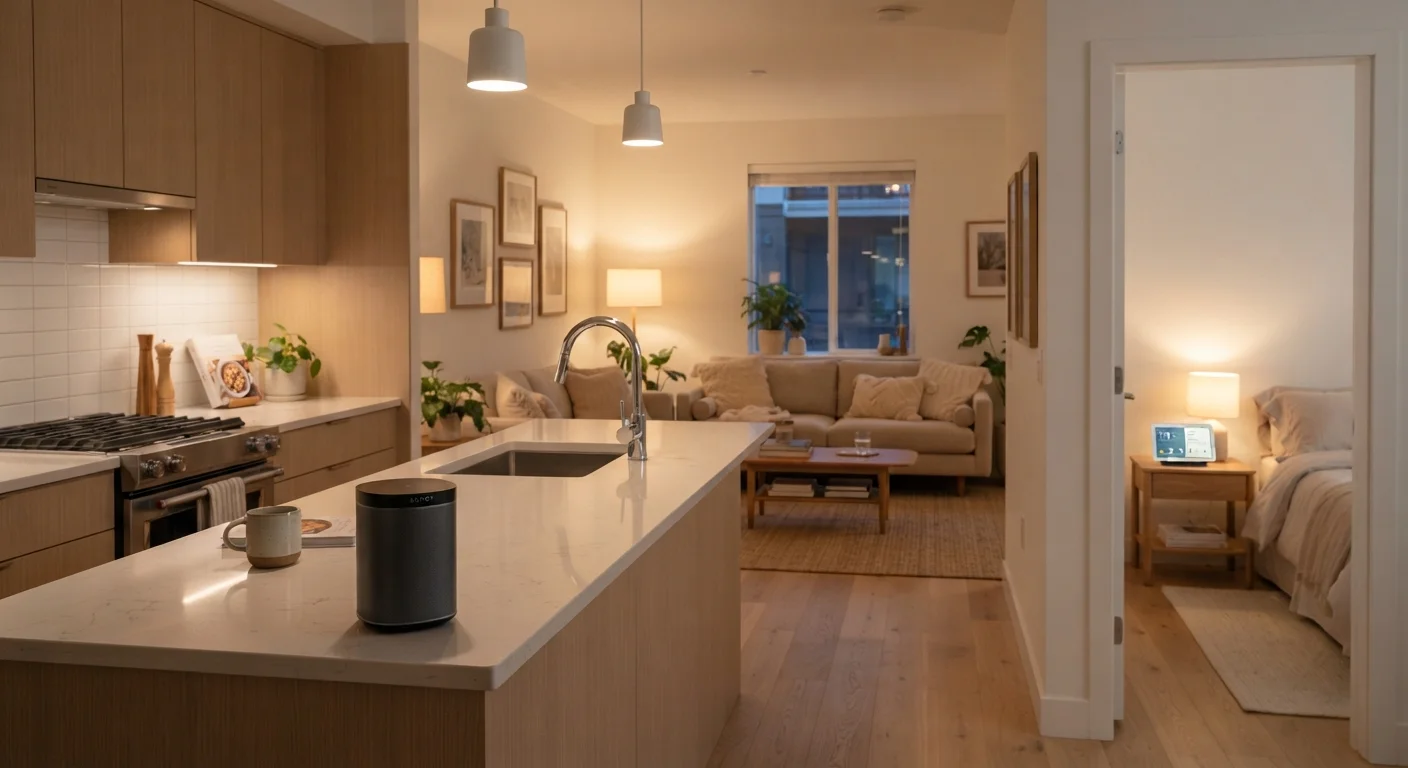
There's no rule against owning both types — in fact, many households find they complement each other well. A smart display in the kitchen and a smart speaker in the bedroom or home office is a common and sensible split. You're not duplicating function so much as matching device strengths to room needs.
What's less useful is placing both types in the same room without a clear reason. Two devices competing for wake-word responses, or a display placed somewhere its screen is never actually seen, both represent money and counter space spent without a return.
If you're thinking about how these devices fit into a broader connected home setup, it's worth understanding what a smart home hub does and whether you need one. Depending on which ecosystem your devices use, a hub may or may not be relevant to how your speaker or display functions.